
Place your pins.
Press Play.
A simple floating auto clicker: one or many numbered tap targets, swipes, the interval you want and a stop timer. No account. Free with ads; a one-time Pro removes them.
Free · One-time Pro · Android 7.0 and later
Pin a spot.
Set the pace.
Let it tap.
How it works
Set up in a minute.
Stop any time.
Three steps, and nothing to sign up for.
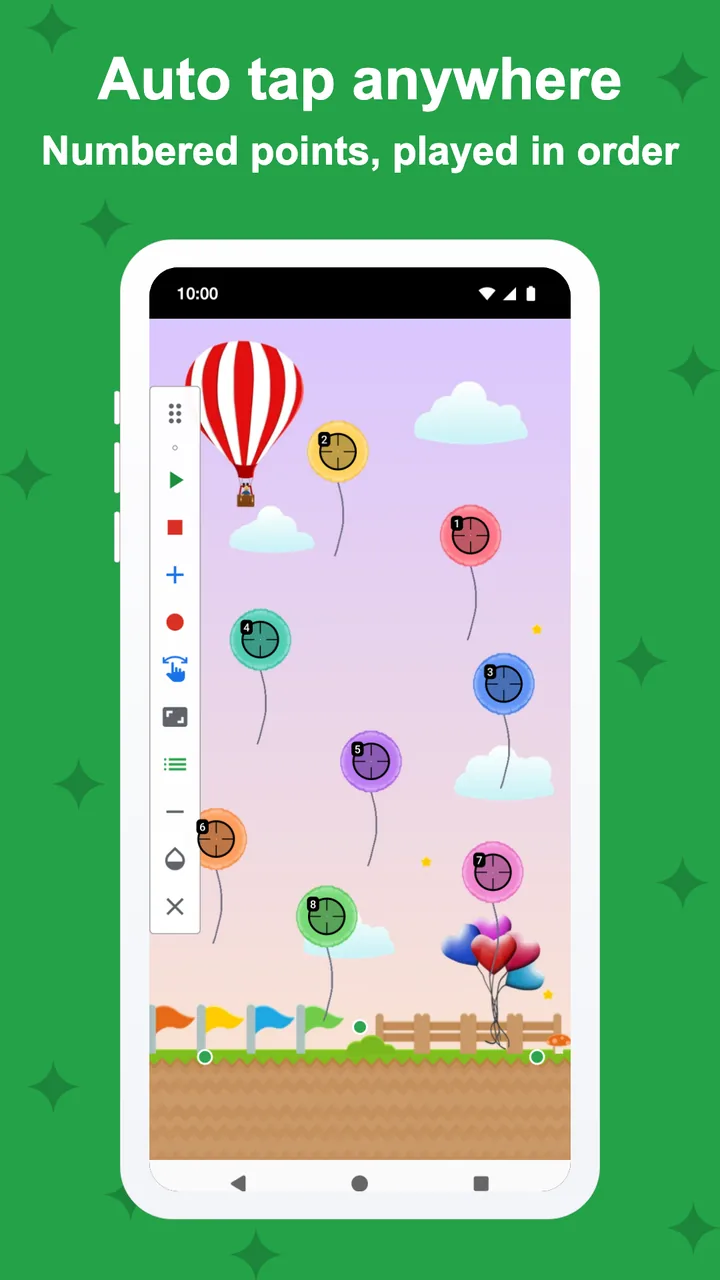
- 01Turn on PinTapPinTap explains on its own screen what its Accessibility service does and doesn't do. You agree, then switch it on in Android's settings.
- 02Place your targetsDrop one numbered pin or many, add swipe targets, and choose the interval and when to stop.
- 03Press PlayPinTap taps in order at your pace. The floating panel always has Stop.
Targets
One spot
or many.
Single-target mode taps one point at any interval, in milliseconds, seconds or minutes. Multi-target mode taps numbered points in order, each with its own delay and hold time.
- Single and multi-target modes
- Delay and hold time per target
- Up to 10 targets free, unlimited with Pro
Swipes
Swipe targets,
straight or curved.
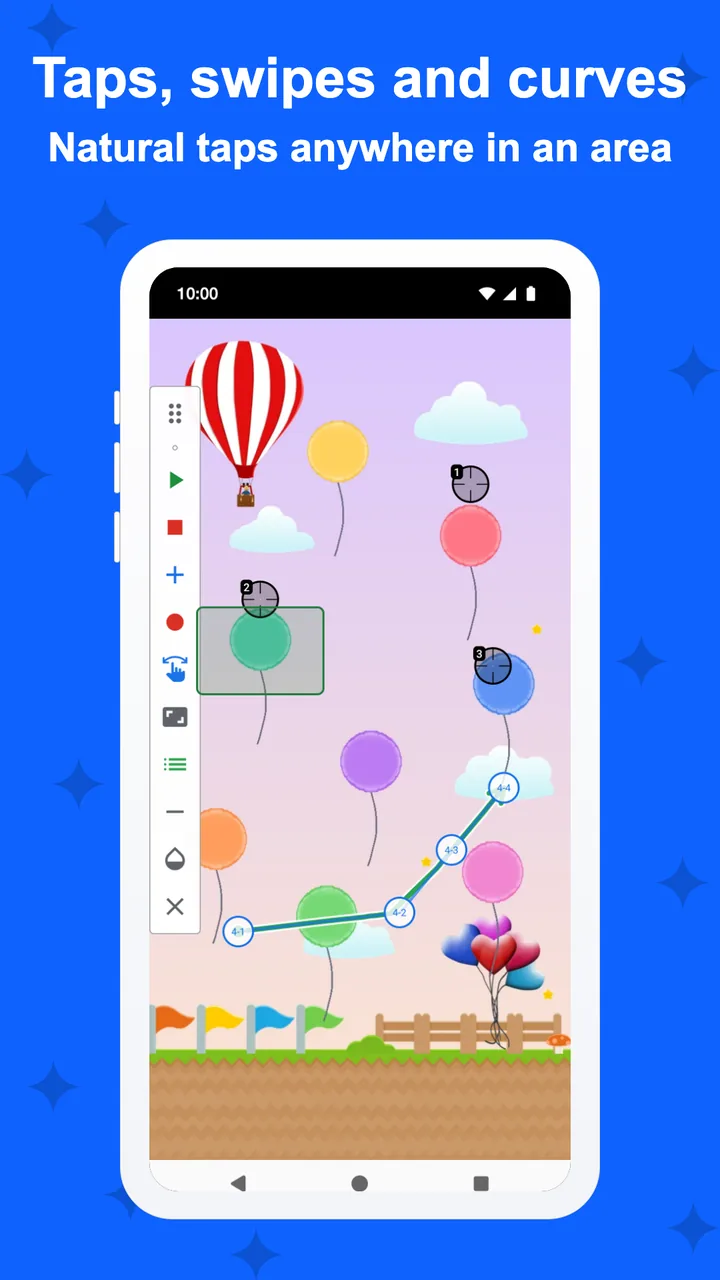
Add swipes alongside your taps, each with its own direction and duration. With Pro, bend a swipe through up to five points, or let a target tap anywhere inside an area you draw, for natural taps.
- Any direction and length
- Curved swipes with up to 5 points (Pro)
- Area targets: a natural tap anywhere in a box (Pro)
Timing
Your timing,
your stop.
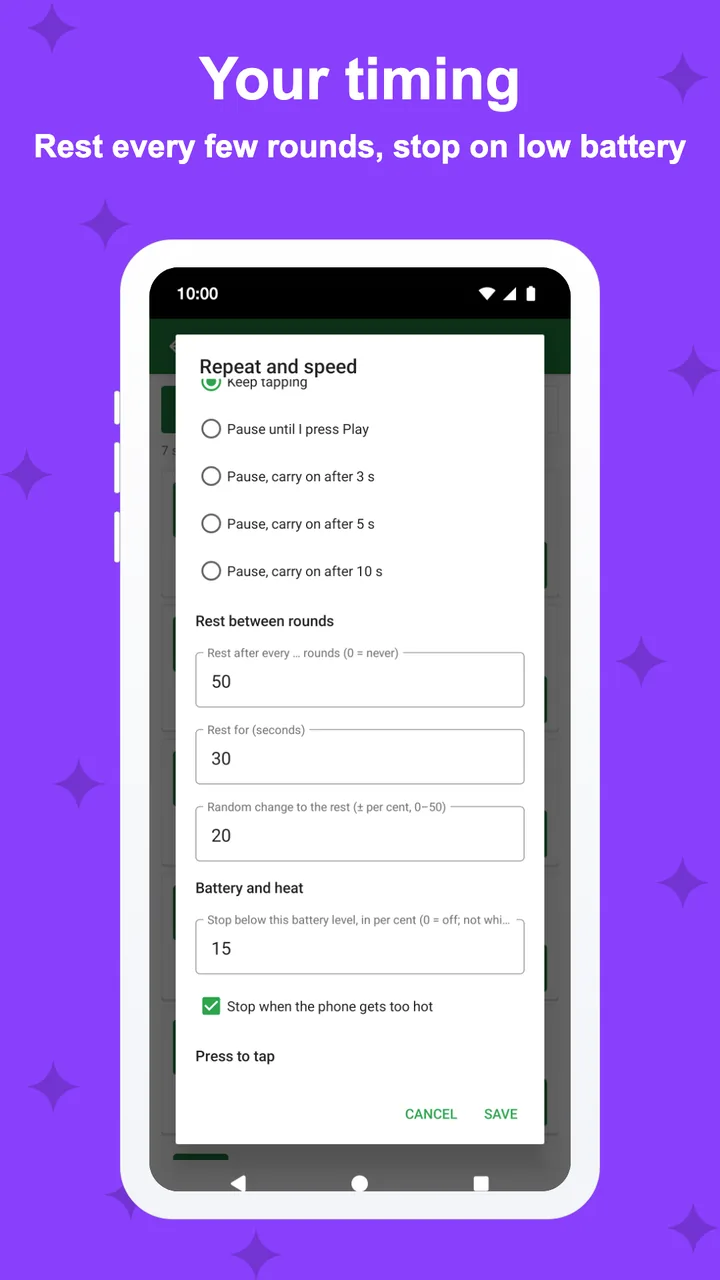
Run for a number of rounds, for a set time, or until you press Stop. Rest every few rounds, and let it stop by itself on low battery or when the phone gets too hot. Natural timing adds a random point radius and a random delay you choose.
- Rounds, timer or until Stop
- Rest every few rounds
- Stops on low battery or heat
Saved setups
Chain your setups,
in your order.
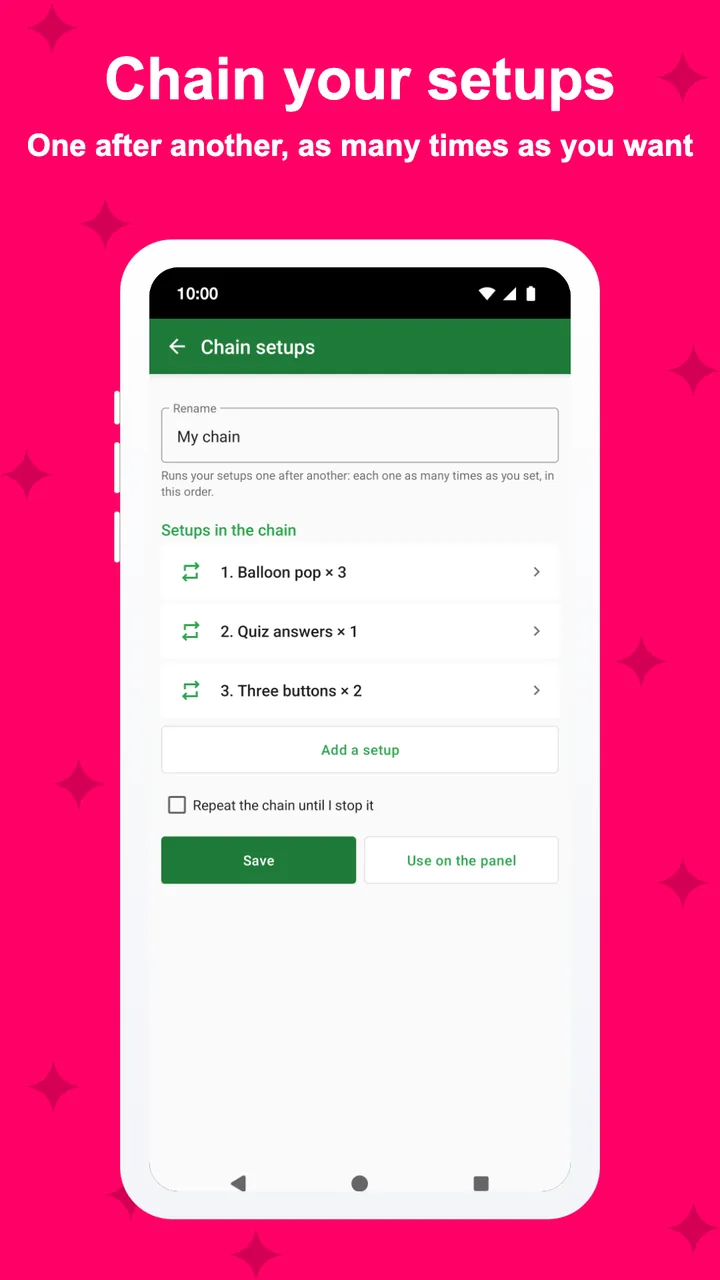
Save your setups and share them as files or QR codes. With Pro, chain setups (one a few times, then the next), let a setup load by itself when its app opens, tap several targets at the same moment, or tap only while you keep pressing a pad.
- 3 saved setups free, unlimited with Pro
- Share as files, text or QR codes
- Pro: chains, auto-load, synchronized taps, press to tap
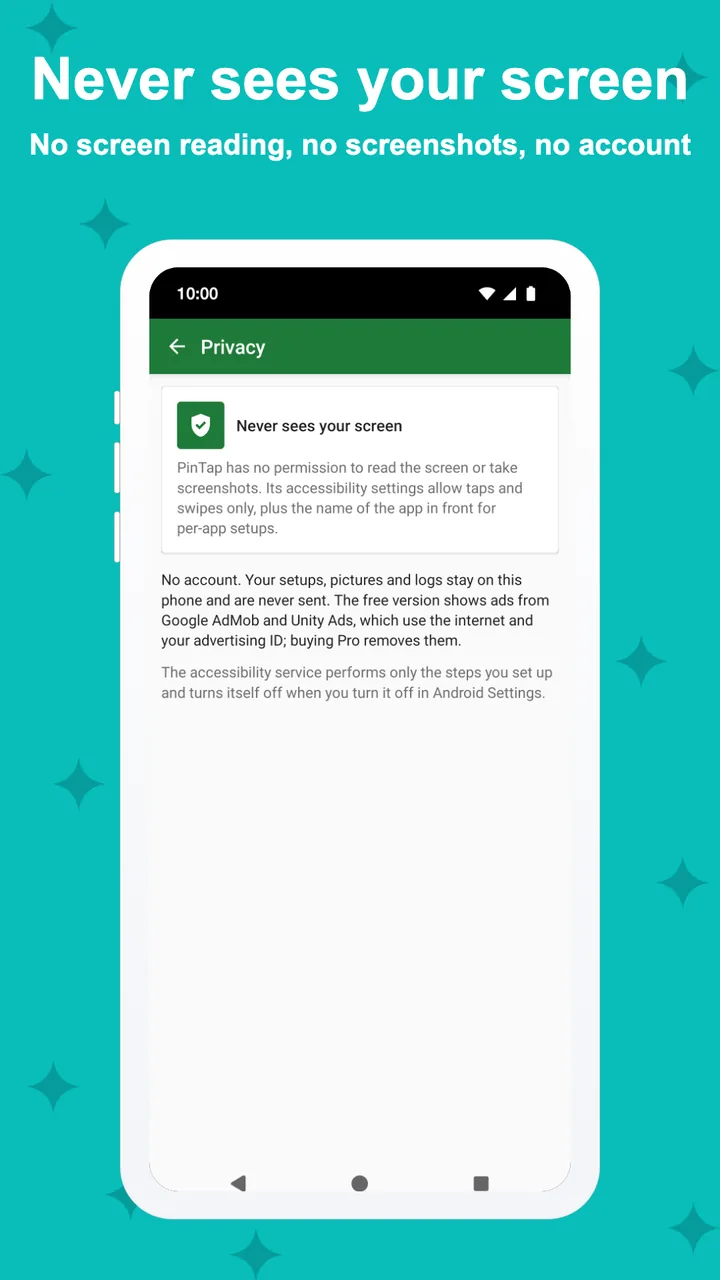
Privacy
It taps.
It doesn't read.
PinTap has no permission to read the screen or take screenshots. It only taps where you placed your pins, and never sends anything about them.
- No screen reading, no screenshots
- Never touches password fields
- No account; Pro removes the ads
And more
The small things,
done right.
Tap, hold or double
Every target,
its own timing.
A target can tap quickly, hold for as long as you set, or tap twice. The interval between targets is yours too, from milliseconds to minutes.
- Tap: down and up at once
- Hold: pressed for the hold time you set (dashed line)
- Double: two taps inside a short window
Illustrative example with a 500 ms hold and a 300 ms double-tap window.
Pricing
Free to use.
Pro is one payment.
Free: single and multi-target taps, swipe targets, interval, repeat and stop timer, rest and battery stop, natural timing, the speed readout and test, start countdown and setup files. Up to 10 targets and 3 saved setups.
PinTap Pro
- Unlimited targets and saved setups
- Chain setups and tap only while you press
- Curved swipes and area targets
- A setup loads by itself when its app opens
- Tap several targets at the same moment
- Record your taps into targets
One payment through Google Play, no subscription. Google Play shows the price in your currency. Google Play's refund policy applies.
No catch.
Privacy
Your setups
stay on your phone.
PinTap only taps and swipes where you placed your targets. It does not read the screen, and your setups never leave your phone.
Only what the ad networks in the free version collect: the advertising ID, device and app information, ad interactions and an approximate location from your IP address, never your taps or your setups. Payments are handled by Google Play; PinTap checks your purchase on the device. Privacy policy →
Questions,
answered.
Why does it ask for Accessibility?
Android lets apps make taps and swipes only through its Accessibility service. PinTap uses it to tap at your targets and to know which app is in front for auto-load. It explains this on its own screen and asks for your consent first.
Can PinTap see what is on my screen?
No. It has no permission to read window content or take screenshots. It only taps where you placed your pins.
How fast can it tap?
As fast as your phone accepts gestures. The taps-per-second readout and the speed test in the Playground show the real number on your phone.
How do I stop it?
Press Stop on the floating panel, or set a number of rounds or a timer so it stops by itself.
Can I use it in games?
Some games and apps forbid auto clickers in their terms, and using one there can get your account restricted. Check each one's rules. PinTap only repeats what you set up and does not hide itself.
What do I get for free?
Single and multi-target taps, swipes, interval, repeat, stop timer, natural timing and setup files, with up to 10 targets and 3 saved setups. The free version never expires; it shows ads, and Pro removes them.